
Add Spins Tournament to your home screen for quick, app-like access.
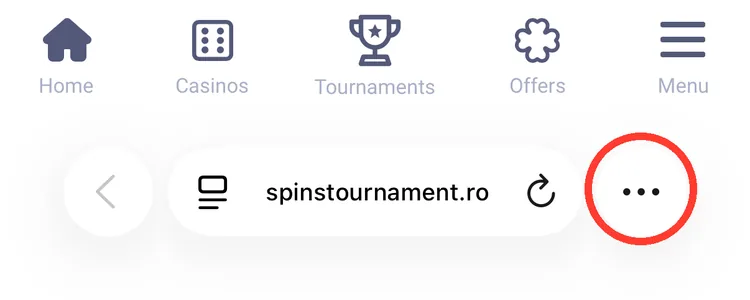
Tap the ⋯ button at the bottom right of Safari.
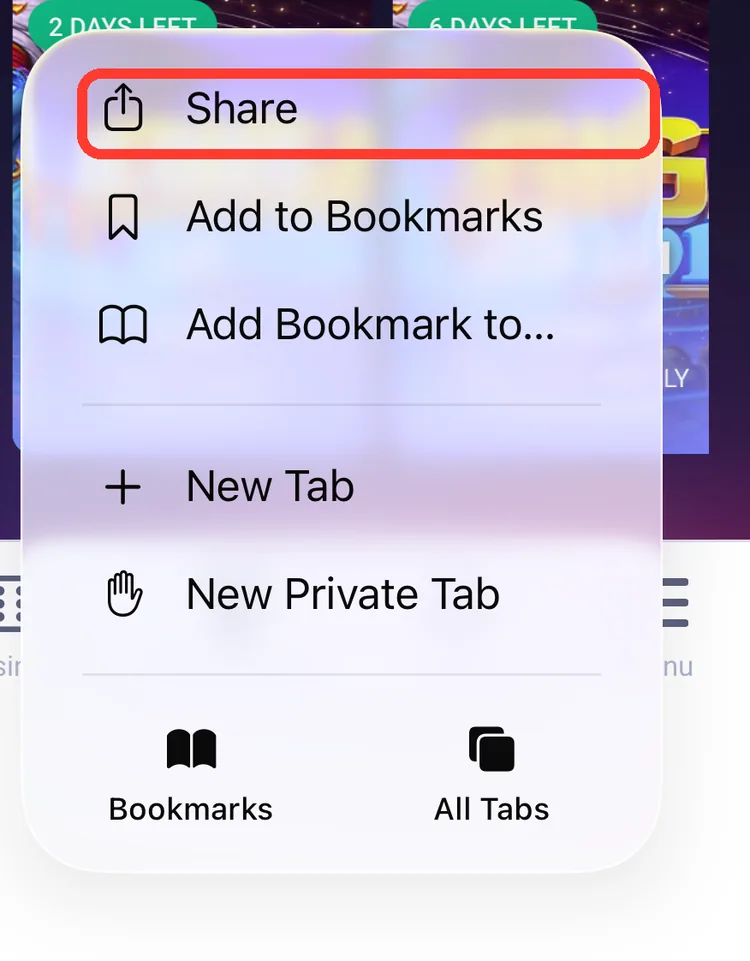
Choose "Share" from the menu.
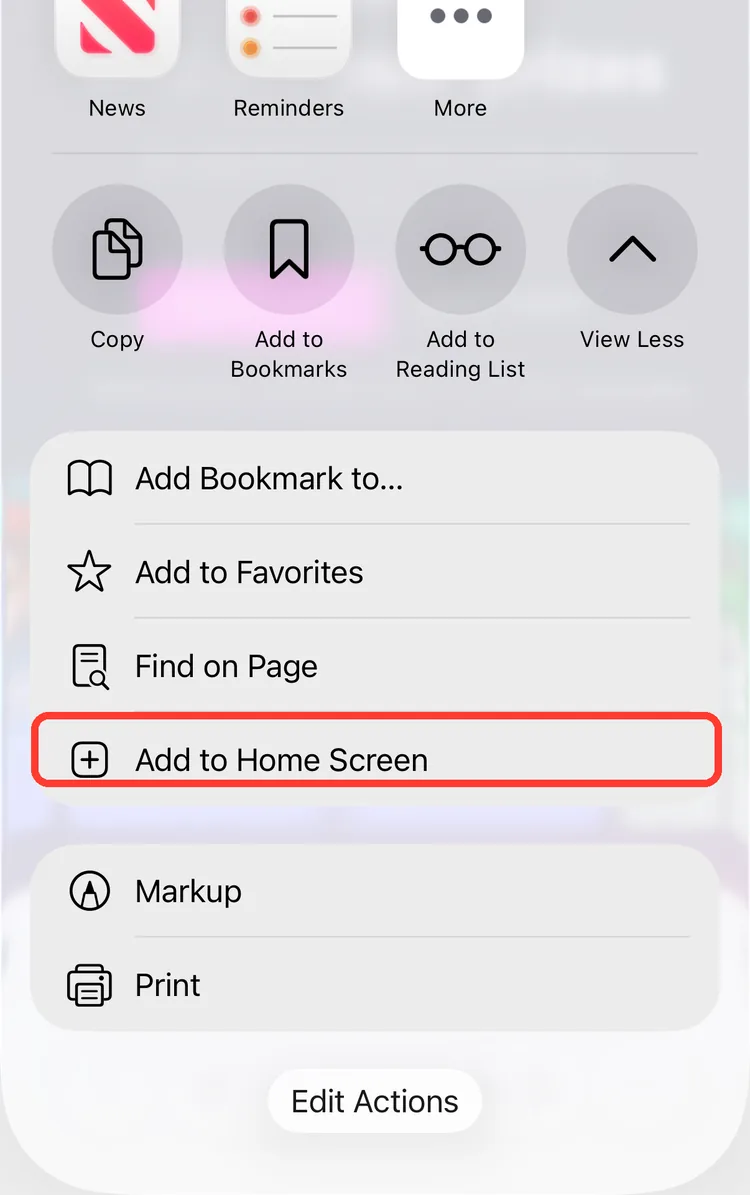
Tap "Add to Home Screen" — tap "View More" first if you don't see it.
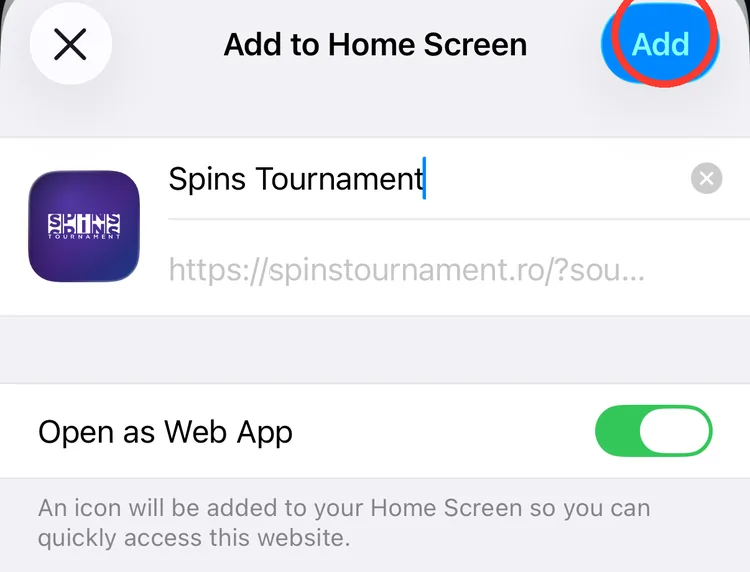
Confirm with "Add" — the Spins Tournament icon appears on your screen.
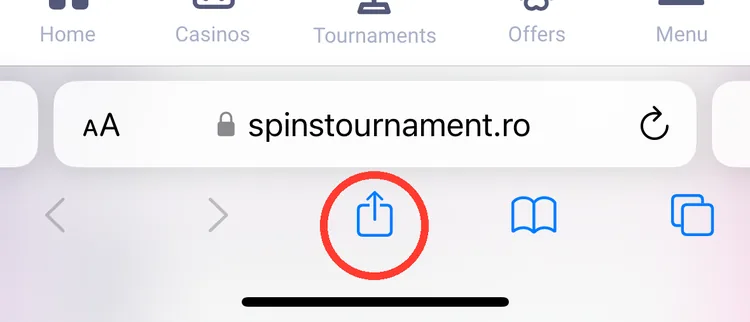
Tap the Share button (the square with an arrow) in Safari.
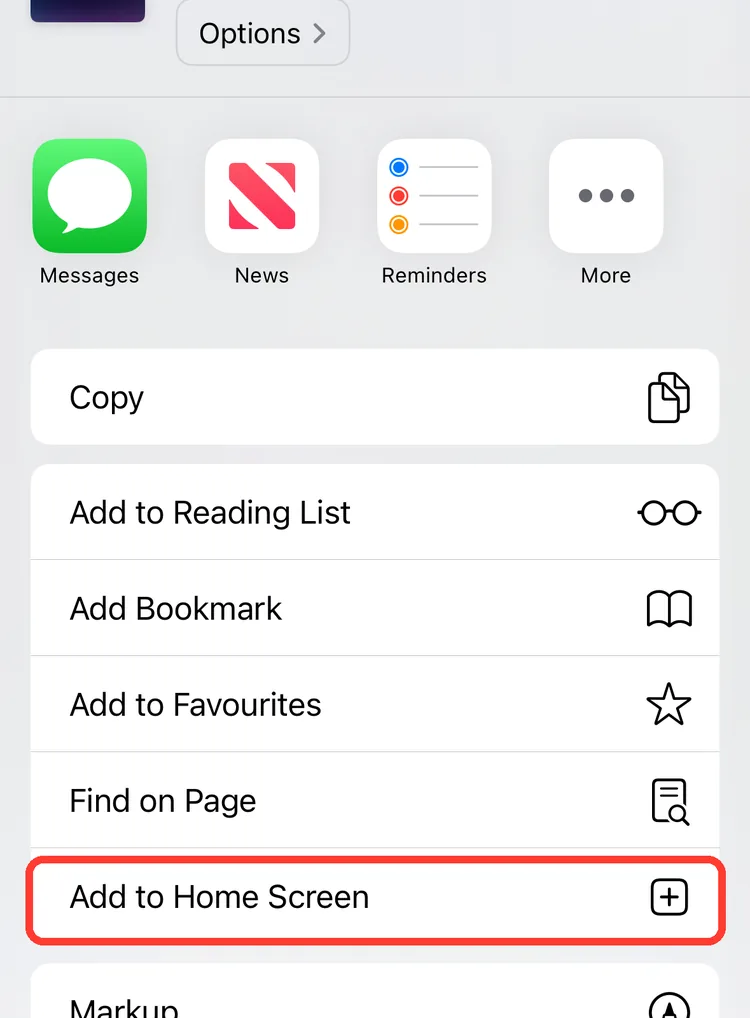
Choose "Add to Home Screen".
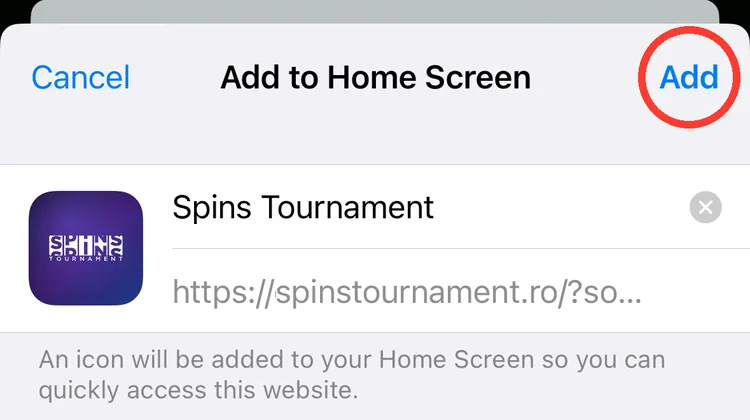
Confirm with "Add" — the Spins Tournament icon appears on your screen.
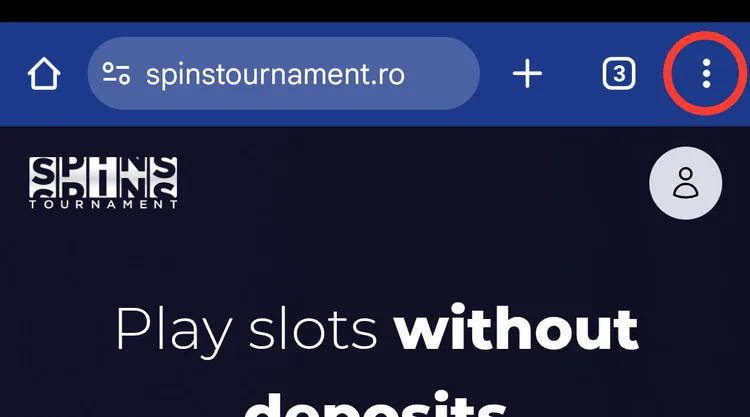
Open the ⋮ menu in the top-right corner.
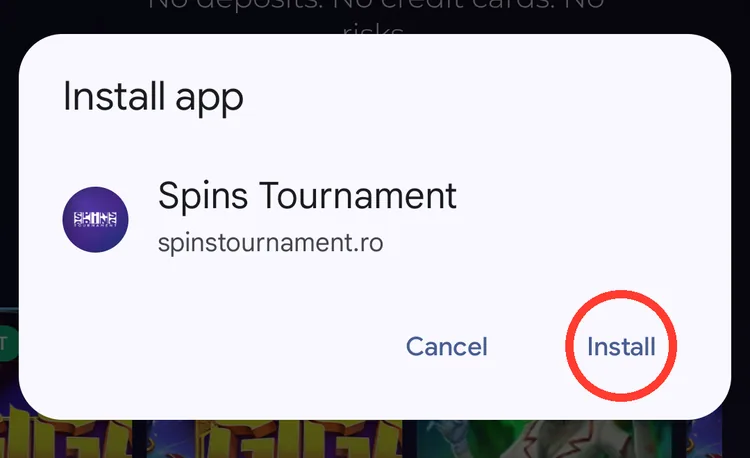
Choose "Install app" (or "Add to Home screen").
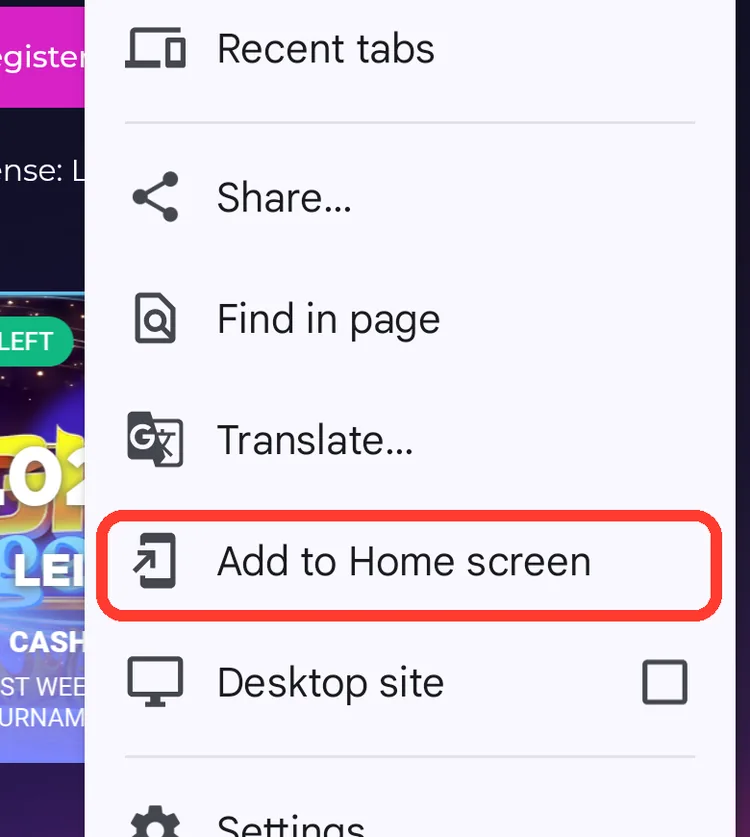
Confirm — Spins Tournament installs on your phone.
Samsung's browser doesn't install the app reliably — the install often fails or gets blocked, and this is a known bug on Samsung's side, not something you did wrong.
Open www.spinstournament.ro in Google Chrome instead and follow the Chrome steps above.
If Chrome isn't on your phone, install it from the Play Store first — it's free.
Open the browser's menu.
Look for "Add to Home Screen" or "Install app".

 L2254731Y001671 | Decizia nr.591/17.07.2025